Why this matters
Cover the exact workflows that move a qualified lead from first contact to a booked appointment without double entry or staff bottlenecks.
Short Answer
For after-hours booking for roofing companies, the workflow to prioritize is not a generic answering bot and not a standalone calendar widget. It is an after-hours intake-to-booking workflow that does four things in sequence:
- Captures the call or text immediately
- Separates leak and storm-response urgency from standard estimate requests
- Creates or hands off an inspection booking without double entry
- Sends clear SMS expectations so the homeowner knows what happens next
That direction is commercially sensible because roofing demand often spikes at night, on weekends, and right after storms. Missed calls turn into lost jobs, while rushed callbacks create scheduling errors and weak customer experiences.
If your team already runs ServiceTitan or Housecall Pro, the priority is usually an AI answering and scheduling layer that fits that system of record. In practice, that is what helps reduce manual re-entry, booking drift, and next-morning office bottlenecks. For broader context on scheduling decisions in home services, see the Booking and Scheduling Hub.
From the current evidence set, Sameday describes itself as an AI receptionist and scheduling product for home service businesses and lists integrations with ServiceTitan and Housecall Pro. ServiceTitan describes itself as a field service management platform for dispatch, scheduling, and customer workflows. Housecall Pro describes itself as a field service management platform for scheduling, dispatch, invoicing, and customer communication. AgentZap describes itself as AI receptionist software and lists integrations including ServiceTitan, Housecall Pro, and Jobber; in the supplied material, its trade-specific detail is more plumbing-focused than roofing-focused.
So the buying answer is straightforward: choose the workflow first, then verify the integration, escalation, and confirmation details. For a roofing owner handling leak, storm, and estimate calls after hours, the right priority is a system that can intake urgency, route true emergencies, book or queue inspections into your scheduling workflow, and keep homeowners informed by SMS without implying that AI can diagnose roof damage on its own.
Why after-hours roofing calls are different
Roofing after-hours demand is high-risk because the caller is often dealing with an urgent problem, not casual research. They may have:
- an active leak
- a storm-related concern
- visible damage they want inspected quickly
- a time-sensitive insurance or mitigation concern
- a next-day estimate request driven by urgency, not convenience
That changes the booking problem. In many home service categories, after-hours intake is mostly about answering politely and setting a future appointment. In roofing, the business value is tied more directly to triage quality, booking speed, and expectation-setting.
A missed estimate call is expensive. A missed leak or storm-response call is worse, because the customer may book with the first company that answers clearly and explains the next step. The goal is not to automate every judgment. The goal is to make sure every inbound contact gets:
- a fast response
- the right urgency path
- a clean handoff into scheduling
- written confirmation of what the homeowner should expect
Roofing teams comparing options for this use case will usually get the most value from a workflow built around actual roofing operations rather than a generic AI feature checklist.
What the current evidence does and does not prove
This comparison relies on vendor-published product information from the current source set, so it is useful for identifying category patterns and demo questions, but not for declaring a universal winner. Buyers should treat named products as examples from the verified evidence set and confirm the operational details that matter in their own environment.
Those details matter more than branding. In practice, most roofing owners should care less about whether a tool says “AI receptionist” or “AI booking assistant” and more about whether it can reliably support the exact after-hours workflow the business needs.
What strong after-hours booking needs to do
A workable roofing setup should cover five linked jobs.
1. Immediate intake
The system needs to answer calls or texts outside office hours and gather structured information, not just take a vague message.
2. Urgency qualification
It should distinguish between:
- active leak or water intrusion
- storm-response concern
- standard inspection or estimate request
- follow-up from an existing customer
- cases that need human escalation
This is an intake and routing function. It is not the same as determining damage severity. A homeowner may report symptoms, but a qualified roofer still needs to review the situation.
3. Inspection booking handoff
The workflow should create a booked appointment, tentative slot, callback task, or dispatch-ready record inside the system your office already uses.
4. SMS expectation-setting
The homeowner should get a text that confirms receipt, clarifies the next step, and tells them when to expect contact or arrival.
5. Escalation rules
There should be clear rules for when the system stops automating and alerts a person. Roofing buyers should insist on explicit escalation logic for leak and storm scenarios.
The workflow to prioritize first
If you improve only one thing, improve this:
After-hours roofing intake tied directly to your scheduling and dispatch workflow
That means the highest-value sequence is:
- answer after hours
- collect caller details and job context
- classify the call into leak, storm-response, or standard estimate
- route emergency or priority cases according to your rules
- book or queue an inspection in your existing FSM or calendar process
- send an SMS confirmation with expectations
This is a better starting point than adding fragmented tools for voicemail, web chat, and separate online booking. Fragmentation usually creates two problems:
- double entry
- unclear ownership the next morning
When you are handling roofing calls after a storm, the office should not wake up to disconnected notes across voicemail, text threads, and a separate scheduling inbox. If your team is mapping that process now, the broader booking and scheduling guidance is useful alongside this roofing-specific view.
Leak and storm-response intake: what matters most
Roofing owners should define the leak and storm workflow before they compare product labels.
Separate emergency response from estimate intake
A strong after-hours setup should treat these as different jobs.
Leak and active water intrusion intake should gather:
- name
- address
- callback number
- whether water is actively entering
- when the issue started
- whether the property is safe to remain in
- whether the caller needs urgent contact from the on-call team
Storm-response intake should gather:
- storm timing
- visible symptoms reported by the homeowner
- whether there is active leaking
- whether temporary protection is already in place
- inspection availability preferences
Standard estimate intake can be simpler:
- location
- property type
- roofing need
- preferred inspection time
- best contact method
The point is not to force the caller through an endless script. The point is to capture enough structured information to route correctly.
Do not confuse symptom capture with damage diagnosis
This is a critical buying distinction. AI can document what the homeowner says. It can help classify urgency based on your rules. It can trigger the right next step. But it should not be treated as a system that determines the true extent of roof damage without human review.
That matters operationally and legally. The safer standard is:
- AI captures reported symptoms
- your workflow assigns priority
- a qualified team member or inspector verifies the actual condition
Escalation rules should be explicit
For roofing, vague escalation is risky. Ask whether you can define rules such as:
- active interior leak = immediate alert to on-call staff
- storm-related call after local severe weather = next-morning priority queue
- estimate-only request = standard inspection scheduling path
- repeat customer with open ticket = route to existing job context if supported
The supplied sources position products around answering, scheduling, dispatch, and integrations, but they do not fully document how granular these roofing-specific escalation rules are. Buyers need to verify that in a live demo.
Inspection booking handoff is where most value is won or lost
After-hours intake only pays off if it ends in a reliable booking path.
Book directly into the operating system, not a side inbox
For many roofers, that operating system is ServiceTitan or Housecall Pro.
- ServiceTitan describes itself as a field service management platform used by home service teams for dispatch, scheduling, and customer workflows.
- Housecall Pro describes itself as a field service management platform for scheduling, dispatch, invoicing, and customer communication.
If your office lives in one of those systems, your after-hours layer should ideally write into that workflow rather than force the team to re-key notes the next morning.
The integration question is more important than the AI label
From the current source set:
- Sameday describes itself as an AI receptionist and scheduling product for home service businesses and lists ServiceTitan and Housecall Pro integrations.
- AgentZap describes itself as AI receptionist software and lists integrations including ServiceTitan, Housecall Pro, and Jobber; however, the supplied trade-specific evidence is plumbing-focused, so roofing workflow depth is not clearly documented.
For a roofing buyer, that means the real question is not “Which AI assistant sounds smartest?” It is:
- Does it create or update customer records correctly?
- Does it sync with the schedule your team actually uses?
- Can it book inspections, or only collect leads?
- Does it create dispatch-ready context, or just a message for staff to interpret later?
Avoid double entry and morning cleanup
Double entry kills after-hours efficiency. You answer fast at 9:30 p.m., then someone still has to review a transcript, create a customer, retype notes, and call the homeowner back to confirm. That is not true after-hours booking. That is digital voicemail with extra steps.
A stronger workflow reduces or eliminates:
- manual note transfer
- duplicate customer records
- missed callbacks
- booking conflicts
- unconfirmed appointments
Roofers already thinking about workflow fit can also compare this against broader home service scheduling patterns to see where roofing needs extra urgency handling.
SMS expectation-setting is not a nice-to-have
For roofing after hours, SMS is part of the service experience, not just a reminder channel.
Confirmation SMS should answer three questions
A homeowner who just reported a leak or storm issue wants to know:
- Did you receive my request?
- What happens next?
- When should I expect a response or visit?
A useful confirmation text might communicate:
- that the request was received
- whether the case is being escalated or scheduled for follow-up
- the expected timing for contact
- any simple preparatory instruction your company already uses
The supplied source set supports customer communication as part of the scheduling ecosystem through platforms like Housecall Pro, but it does not document exact roofing SMS templates or automation limits. Buyers should ask to see those flows in a live demo.
SMS is also how you reduce inbound repeat calls
A large share of after-hours friction comes from uncertainty. When homeowners do not know whether someone is coming, they call again, text again, or book elsewhere. Clear SMS expectation-setting reduces that confusion.
For roofing, expectation-setting is especially important when the workflow is a handoff to inspection booking rather than immediate dispatch. The customer needs to know whether they are:
- waiting for an on-call response
- confirmed for an inspection window
- queued for morning scheduling contact
- asked for one missing piece of information
Keep promises narrow and operational
Do not overstate what the system is doing. Good messages set expectations on:
- receipt
- response timing
- appointment status
- next contact
They should not promise that damage has been fully evaluated or that service timing is guaranteed unless your actual process supports that.
How to evaluate booking accuracy
Roofing owners buying after-hours booking should measure quality in operational terms.
Look at the full booking chain
Booking accuracy is not just “Did the call get answered?” It is:
- Was the lead captured?
- Was the urgency classified correctly?
- Was the appointment booked in the correct system?
- Was the right team notified?
- Did the customer receive confirmation?
- Did the office see clean records the next morning?
The practical scorecard
When comparing options, ask for evidence on these points:
Calendar and FSM connectivity
Can the system work inside your existing scheduling reality, especially if you use ServiceTitan or Housecall Pro?
Structured intake fields
Can leak and storm-response data be captured consistently?
Confirmation flows
Can it send SMS confirmations and follow-up messages tied to the booking state?
Escalation rules
Can it route true urgent cases differently from normal estimates?
Human override
Can your team review, change, or take over the conversation when needed?
Failure handling
What happens if no slot is available, the caller is unclear, or the issue exceeds the automation rules?
If a vendor cannot show these items clearly, the promise of “AI appointment scheduling for home service contractors” is too abstract to trust.
Where the example products fit in this decision
The named vendors in the source set illustrate different layers of the stack.
| Example from current evidence set | How it describes itself | What that suggests for roofing buyers | What to verify |
|---|---|---|---|
| Sameday | AI receptionist and scheduling product for home service businesses | Front-end after-hours answering and scheduling layer | Roofing-specific intake depth, booking logic, pricing, setup effort |
| ServiceTitan | Field service management platform for dispatch, scheduling, and customer workflows | Core operating system for schedule, dispatch, and customer records | Whether after-hours AI is native, partner-led, or custom in your setup |
| Housecall Pro | Field service management platform for scheduling, dispatch, invoicing, and customer communication | Core operating system with customer communication and scheduling functions | How outside booking tools write into jobs, requests, and communication flows |
| AgentZap | AI receptionist software with plumbing-specific answering and dispatch positioning | Category example of AI answering plus dispatch integration | Roofing-specific scripts, after-hours inspection booking logic, pricing |
This table highlights the real buying pattern: roofing companies are usually choosing a connected workflow, not a single magic app.
How ServiceTitan and Housecall Pro change the decision
If your roofing company already runs one of these platforms, that changes what “after-hours booking” should mean.
For ServiceTitan users
The relevant decision is usually whether the after-hours AI layer can fit your existing dispatch, scheduling, and customer workflow. ServiceTitan already positions itself around those core operating functions. So your evaluation should focus on:
- write-back accuracy
- job or customer creation rules
- dispatch visibility
- inspection slot logic
- confirmation messaging
- escalation to your on-call team
The search phrase “ServiceTitan AI booking assistant” points to this exact issue. The supplied source set does not document a standalone ServiceTitan product specifically under that phrase, so buyers should verify whether the capability they are considering is:
- native inside ServiceTitan
- delivered by an integration partner
- assembled through custom workflow configuration
That distinction affects implementation effort and ownership.
For Housecall Pro users
Housecall Pro describes itself around scheduling, dispatch, invoicing, and customer communication, which makes it a system-of-record question as well. Roofing buyers should verify:
- whether after-hours intake becomes a scheduled job, request, or customer record
- whether SMS confirmations come from the same communication flow the office uses
- how dispatch or follow-up tasks appear the next morning
- whether urgent leak cases can bypass normal estimate queues
If those details are unclear in demo, expect friction in live operation. Teams working through this in the field may also want to compare how their roofing workflow handles emergencies versus standard estimate volume.
How related searches map back to the same buying decision
Three common searches are really the same evaluation framed differently.
“After hours booking for roofing companies”
This is the most specific query. The answer is a roofing-specific intake, booking, and SMS workflow with escalation for leak and storm-response calls.
“AI appointment scheduling for home service contractors”
This is the broader category query. For roofing, the generic phrase is only useful if the product can handle your trade’s urgency patterns, not just book standard appointments.
“ServiceTitan AI booking assistant”
This is the stack-specific query. It usually means the buyer wants AI booking that fits an existing ServiceTitan workflow instead of adding another disconnected tool.
So while the search terms look different, the buying criteria stay the same:
- booking accuracy
- integration into your operating system
- confirmation flows
- escalation rules
- reduced office workload
Questions roofing buyers should ask before signing
Use direct questions that force operational clarity.
Intake and qualification
- How does the system separate leak, storm-response, and estimate calls?
- Can we customize those rules for our service area and on-call policy?
- What happens when the caller is emotional, unclear, or partially informed?
Scheduling and handoff
- Does it book directly into ServiceTitan or Housecall Pro, or only send a lead summary?
- Can it hold an inspection slot, or does a coordinator still need to confirm every request?
- How are scheduling conflicts handled after hours?
SMS and customer communication
- What confirmation messages are sent automatically?
- Can SMS content differ for leak emergencies versus standard inspections?
- Can the customer reply to the text, and if so, where does that conversation go?
Escalation and oversight
- What events trigger immediate human escalation?
- How do managers review after-hours conversations and bookings?
- What is the fallback if the workflow fails or confidence is low?
Commercial and implementation basics
- Is pricing publicly documented, or only available through sales?
- How long does setup usually take for a roofing workflow?
- Who configures scripts, routing, and calendar logic?
From the supplied sources, pricing and implementation detail are not clearly documented for the example vendors listed here, so buyers should get those specifics in writing.
What a good rollout looks like for a roofing company
A practical rollout usually starts narrower than buyers expect.
- Start with after-hours inbound only
- Define leak, storm, and estimate paths
- Connect to your actual scheduling system
- Turn on SMS confirmations
- Add escalation rules for true urgent cases
- Review transcripts, bookings, and exceptions weekly
That sequence matters. Roofing companies often get better results from a narrow, disciplined after-hours workflow than from trying to automate every possible customer interaction on day one. If your team is refining the process step by step, the roofing industry page and booking and scheduling resources can help frame the rollout.
Final recommendation
For most roofing owners dealing with after-hours leak, storm, and estimate calls, the smartest buying move is to prioritize a connected after-hours intake and inspection-booking workflow over a generic AI answering tool.
That means your decision should be anchored in this order:
- Can it handle roofing urgency intake cleanly?
- Can it route leak and storm-response calls with clear escalation rules?
- Can it hand off or book inspections inside the system we already use?
- Can it set expectations by SMS so homeowners are not left guessing?
- Can it reduce double entry and morning cleanup for office staff?
Within the supplied evidence set, Sameday is relevant because it describes itself as an AI receptionist and scheduling product for home service businesses and lists ServiceTitan and Housecall Pro integrations. ServiceTitan and Housecall Pro are relevant because they are the systems many contractors already use to run dispatch, scheduling, and customer workflows. AgentZap is useful as an additional category example of AI receptionist positioning with FSM integrations, but the roofing-specific evidence provided here is limited.
So the recommendation is category-first and practical: buy the workflow that moves a qualified after-hours roofing lead from first contact to booked inspection and SMS confirmation with minimal manual re-entry. If a vendor cannot demonstrate that full chain clearly in your environment, keep looking.
FAQ
Can AI handle after-hours leak calls for a roofing company?
It can handle intake, routing, and communication if the workflow is configured well. It can capture the homeowner’s report, classify urgency according to your rules, alert the right person, and help book the next step. It should not be treated as a substitute for a human assessment of roof damage.
What is the most important integration for after-hours roofing booking?
Usually the most important integration is the one tied to your actual scheduling and dispatch workflow, especially if you already use ServiceTitan or Housecall Pro. If the after-hours system does not write cleanly into the platform your office uses every day, the value drops quickly.
Is online self-booking enough for roofing after hours?
Usually not by itself. Roofing after-hours demand often includes leak and storm-response scenarios that need qualification, escalation, and expectation-setting. Self-booking can help with standard inspections, but it is rarely enough as the full after-hours strategy.
What should the homeowner receive after they contact a roofer after hours?
At minimum, they should receive a clear SMS confirmation that acknowledges the request, explains the next step, and sets a realistic expectation for contact or inspection timing.
How should buyers evaluate a “ServiceTitan AI booking assistant” claim?
Ask whether the capability is native to ServiceTitan, provided through an integration partner, or assembled through custom workflow configuration. Then verify how it handles booking accuracy, dispatch visibility, leak escalation, and SMS confirmations in your actual roofing process.
Supporting visuals
Visual proof and context
Screenshots and images that support this article, with sources noted.
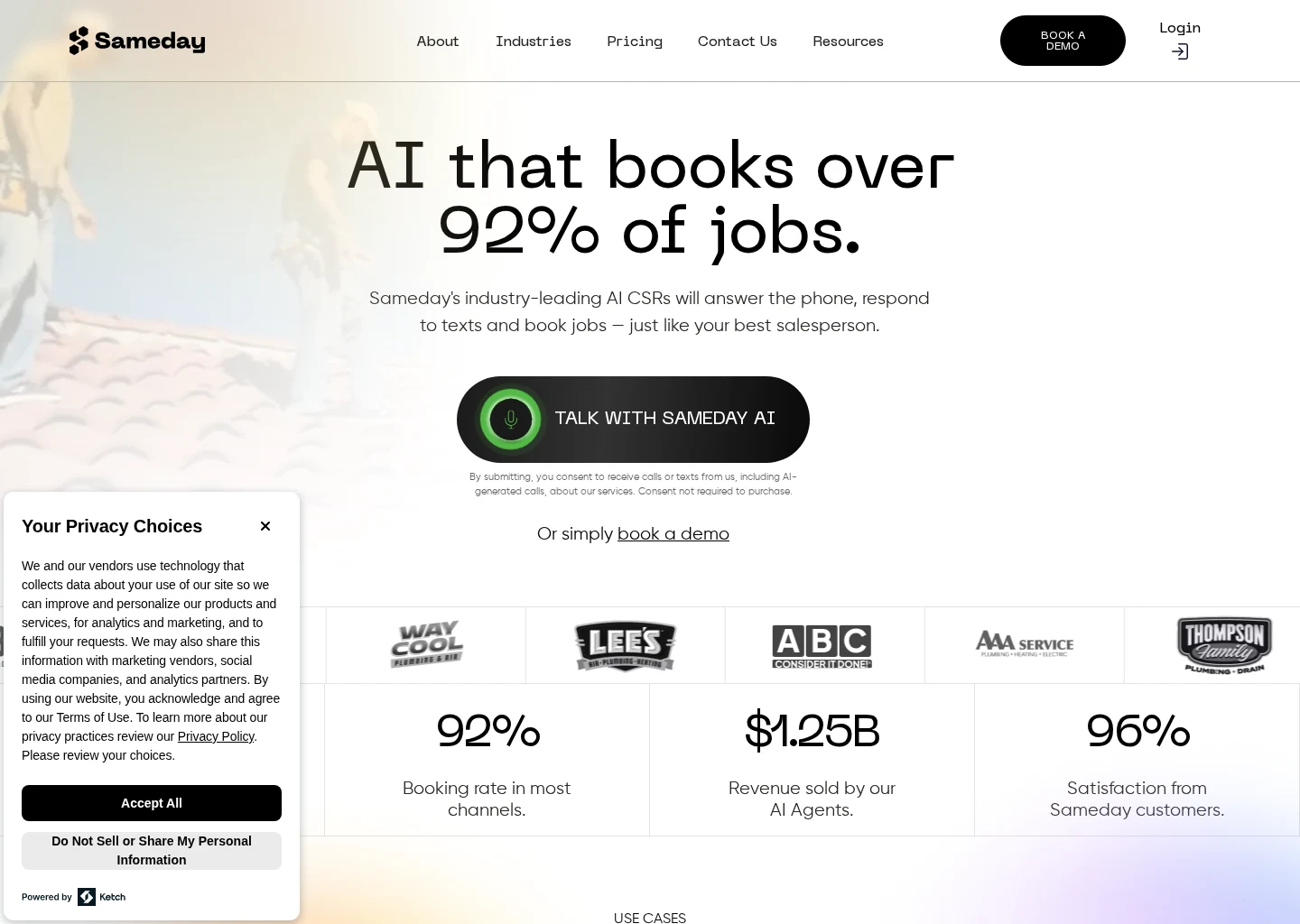
Source-backed evidence from www.gosameday.com
Captured evidence
SourceFrequently Asked Questions
Sources